Assembly Client Portal Review 2026: A Complete Guide for Service Businesses
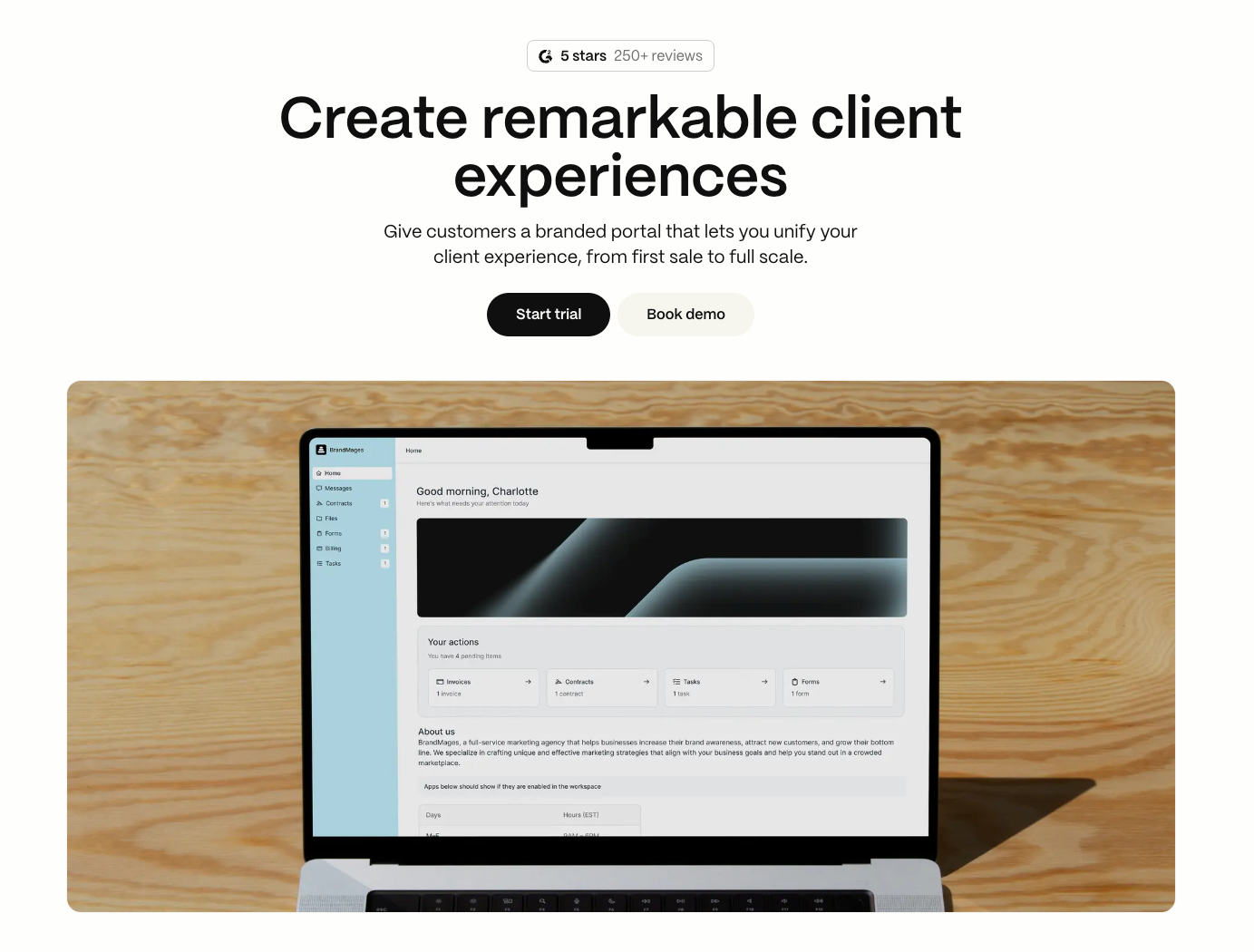
Assembly homepage hero: “Create remarkable client experiences”, featuring a branded client portal preview with Start trial and Book demo buttons.
Disclosure
I'm an Assembly partner, which means I receive a small commission if you use my link to sign up. You can also use the code CHLOE at checkout for $100 off your plan. That said, I was an Assembly user before I was a partner. What I'm sharing here reflects my own experience with the platform and why it became a core part of how I run my business.
The Real Question Behind Every Client Portal Decision
Most service businesses don't have a tools problem. They have an integration problem.
You've built systems. You've documented processes. The tools work. But you're still the person making them talk to each other, the invisible layer between platforms, inboxes, documents, and payments.
That fragmentation has a cost. Internally, it drains time and mental bandwidth. Externally, it creates friction that clients feel but never articulate. Friction that quietly shapes whether they stay, buy again, or refer.
When we are thinking about investing in a client portal, it’s not just one decision. It’s considering every decision you’ll face at each stage of your client lifecycle. That’s how I’m approaching this review of Assembly as a client portal solution. We’ll look at each stage of your client’s journey, how Assembly approaches them, and what to weigh before committing. The kind of detail you can bookmark and return to.
If you prefer to see how Assembly works in action, you can watch my full Assembly product tour video below.
What is Assembly?
Assembly positions itself as a dedicated client portal. One branded space where each client can log in and access their communication, files, contracts, tasks, payments, scheduling, and more.
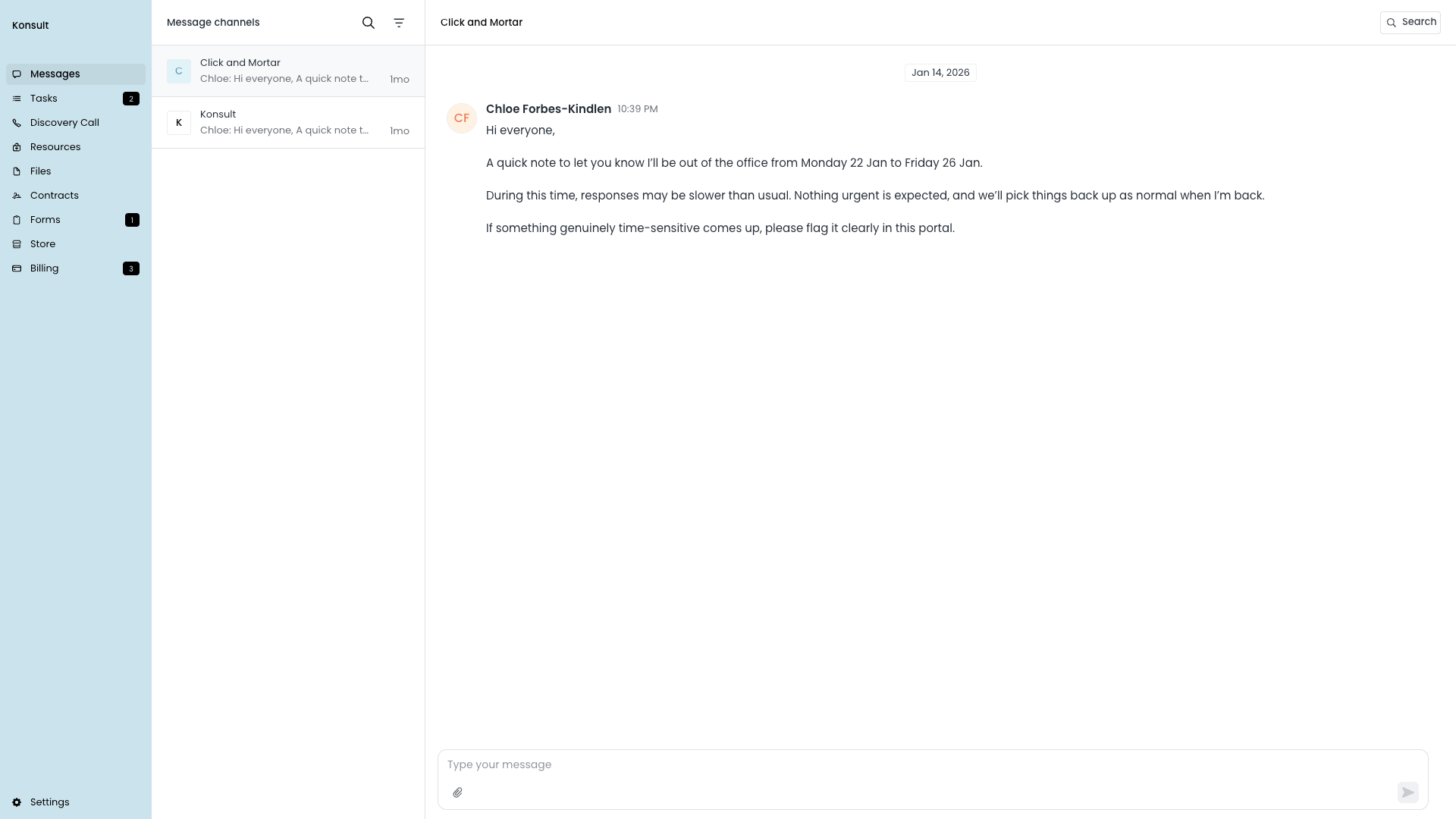
Assembly’s client portal brings messages, tasks, files, contracts, forms, and billing into one shared space.
As the business owner, you can easily manage all of your clients from one dashboard.
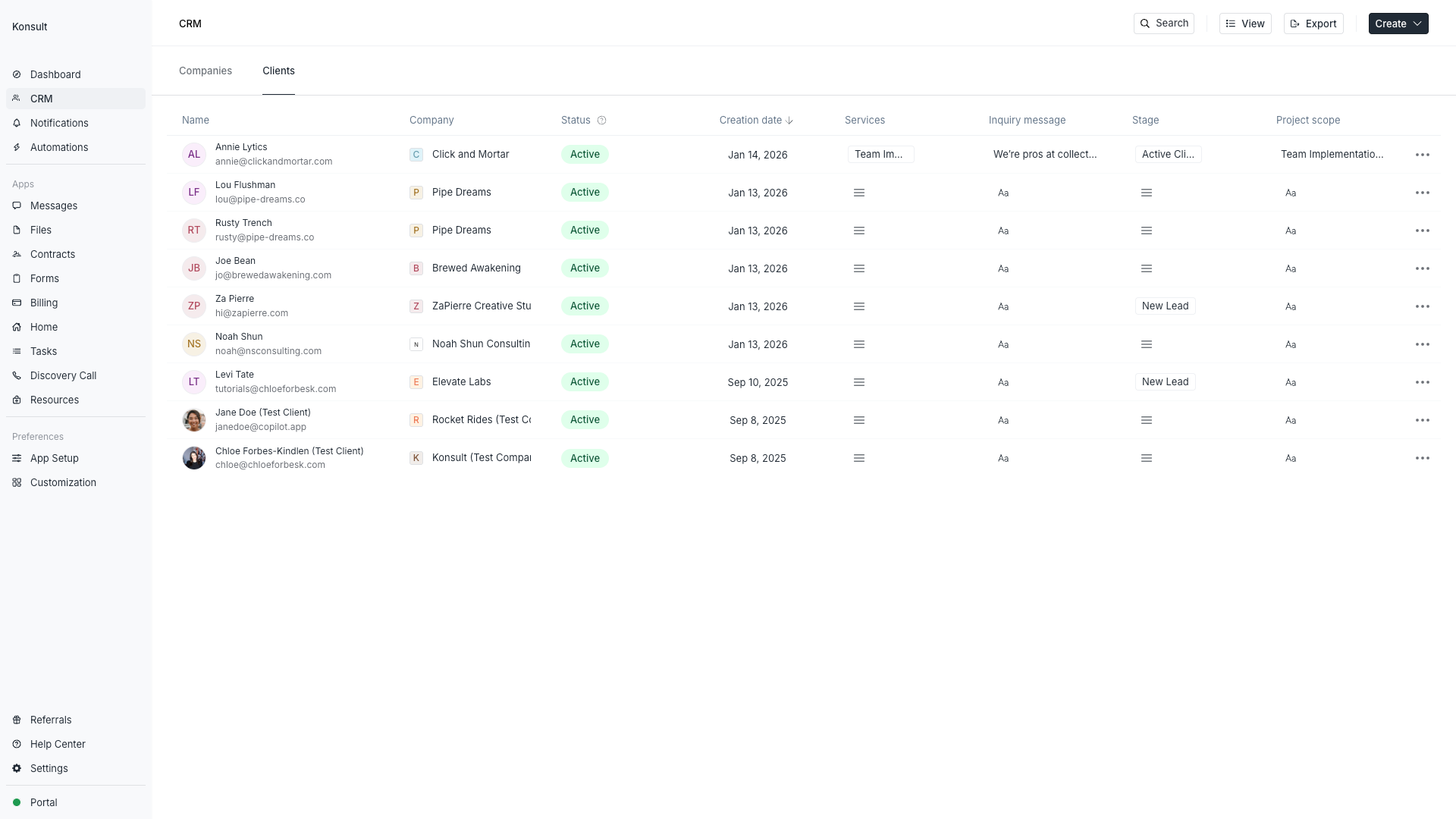
Assembly’s client portal offers a single dashboard where you can view every client, their status, and what’s in motion, without hunting across tools.
What makes Assembly distinct is that it doesn't ask you to choose between your existing tools. It allows you to integrate them. Your scheduler, your file storage, your whiteboards, they can live inside each client's portal rather than scattered across separate logins. The platform holds the relationship. Your tools still do the work.
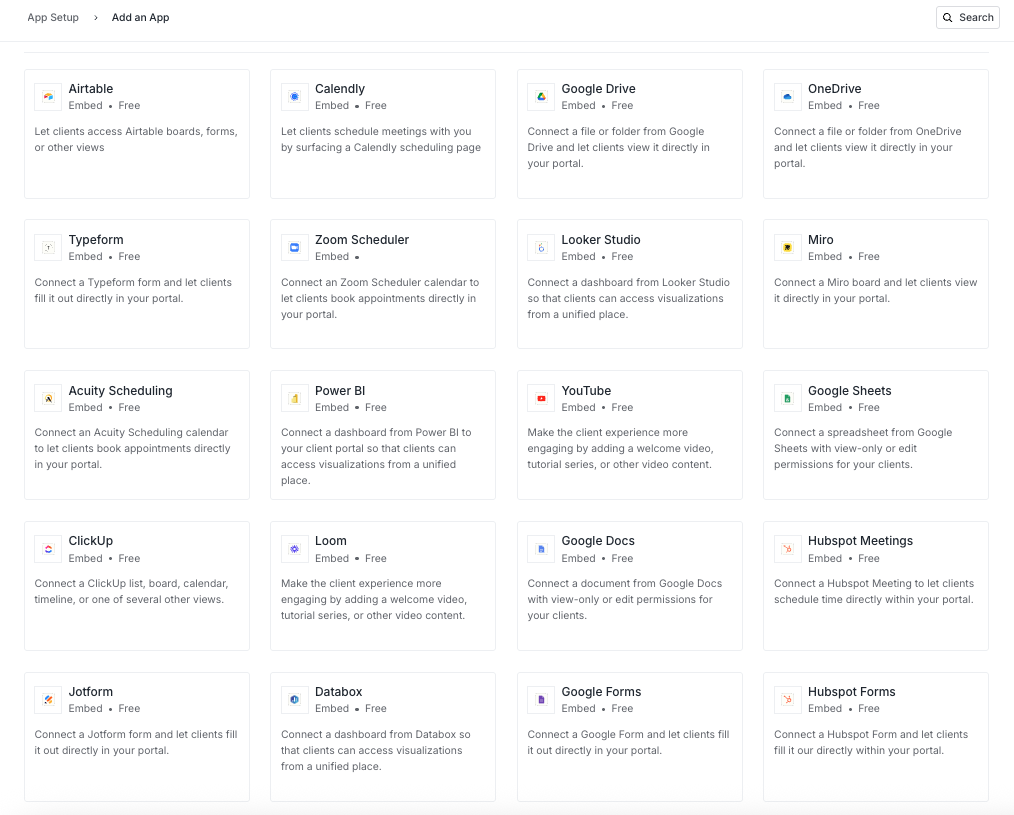
Assembly lets you bring the tools you already use into the client portal, so clients stay in one place, even when your work lives across apps.
Do Clients Actually Use Portals?
This is the first decision worth getting honest about, because if clients won't use it, nothing else matters.
Client portals work when they become the path of least resistance. When finding a file, checking project status, or making a payment is easier inside the portal than digging through email threads, people use them. When a portal is just another login without clear advantage, they don't.
Assembly handles this tension thoughtfully. Clients can reply to messages via email or by logging into the portal. Both paths land in the same place.
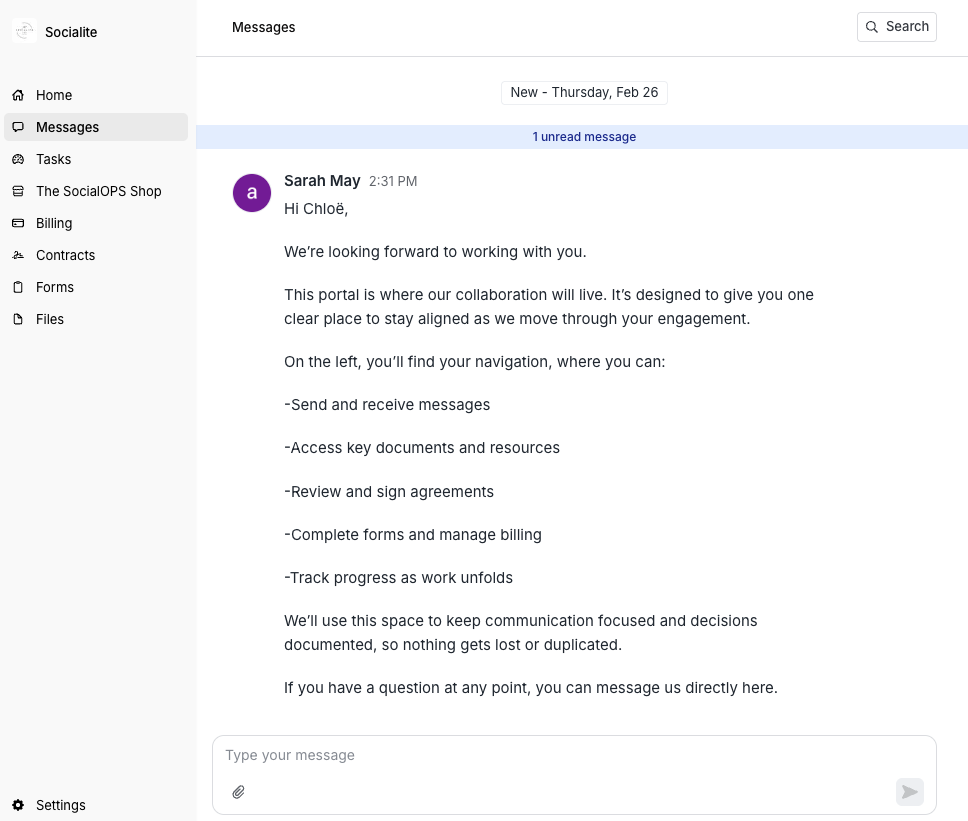
Clients can message you inside the portal, with the conversation living alongside everything else they need.
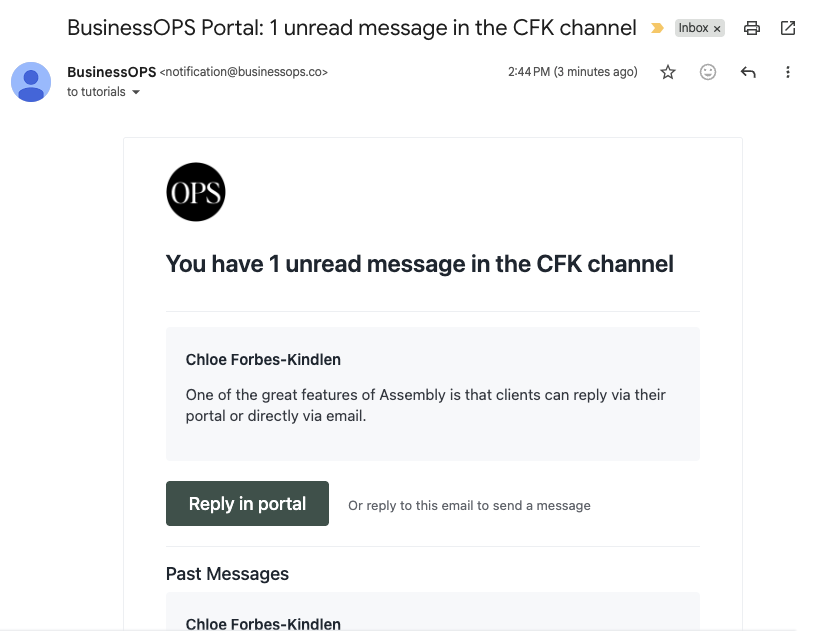
Clients can reply from their inbox or inside the portal, both routes landing in the same thread.
You're not forcing adoption, you're providing choice. The portal earns its place by being simpler than the alternative, not by demanding a behaviour change. This is the distinction that matters. Not whether a portal exists, but whether it genuinely removes friction or just creates a prettier version of the same fragmentation.
Decisions at Each Stage of the Client Lifecycle
Every service business moves through the same broad stages: attracting leads, converting them, onboarding, delivering, and retaining. At each stage, there are choices about how much to systematise, what to automate, and where the human touch matters most. What follows is how Assembly approaches each of those stages, and the questions worth sitting with before you decide whether it's a good fit for your business.
Lead Capture
How Much Should You Automate Before Someone Has Paid You?
The decision: When an enquiry comes in, do you manually enter it into a CRM, reply from your inbox and hope to remember the follow-up, or connect everything so it happens without you?
How Assembly handles it: Enquiry forms can connect directly to Assembly's CRM via Zapier or Make. When someone submits, they're automatically added as a lead with custom fields populated: name, email, service interest, message, referral source, budget, whatever matters to your decision-making.

New enquiries can flow straight into Assembly’s CRM, with key details captured as lead fields, without manual copy and paste.
What I love: The more interesting capability here is granting leads limited portal access before they've paid anything. Rather than sending a sequence of disconnected emails, you can welcome them into a structured space with resources, an introductory video, and a discovery call link. They experience what it's like to work with you before making a decision.
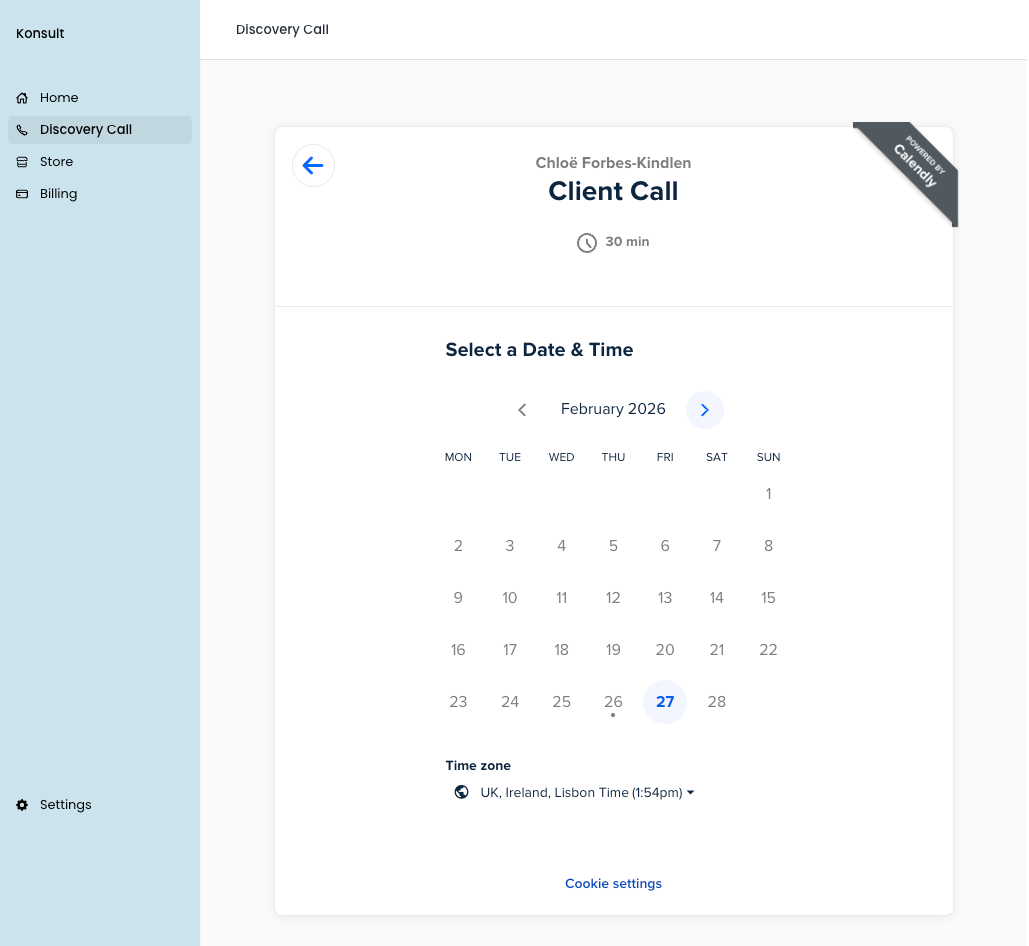
Give leads limited portal access, so they can book a discovery call and explore a guided space before they’ve paid.
This is a strategic choice, not a default. Consider whether your leads would value this kind of early structure or whether it feels premature for your particular sales process.
Sales Conversion
How Many Manual Steps Sit Between a "Yes" and a Signed Contract?
The decision: After a discovery call goes well, how quickly can you move from verbal agreement to formal commitment? Every manual step in this gap is a place where momentum dies.
How Assembly handles it: You can create reusable contract templates that pull client data directly from their profile. Client name, company details, project scope, today's date are all populated automatically using custom fields from the CRM. The client reviews and signs inside their portal. No printing, no scanning, no third-party signature tools.
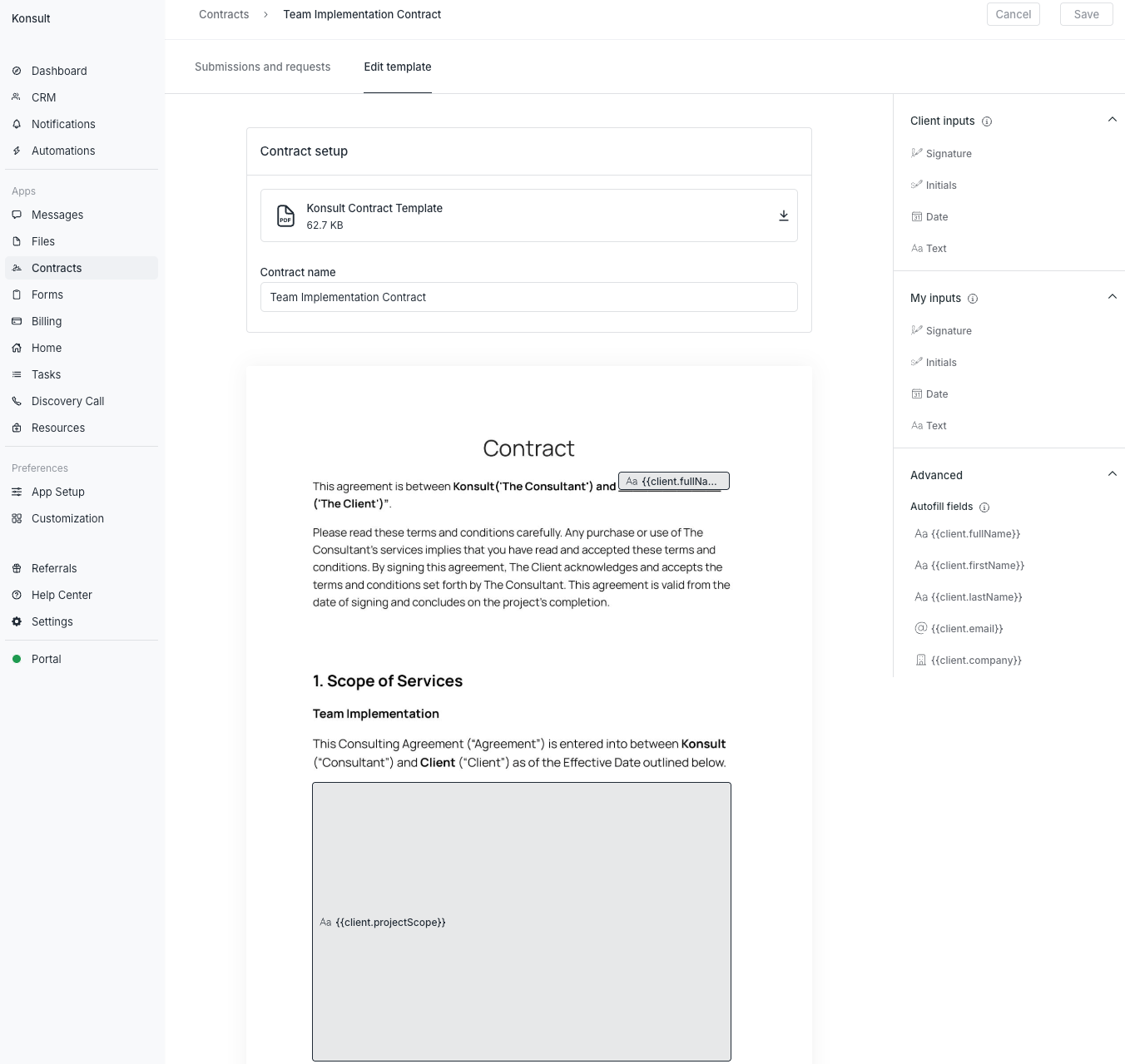
Build reusable contract templates in Assembly, with client details auto-filled from the CRM, ready to review and sign in the portal.
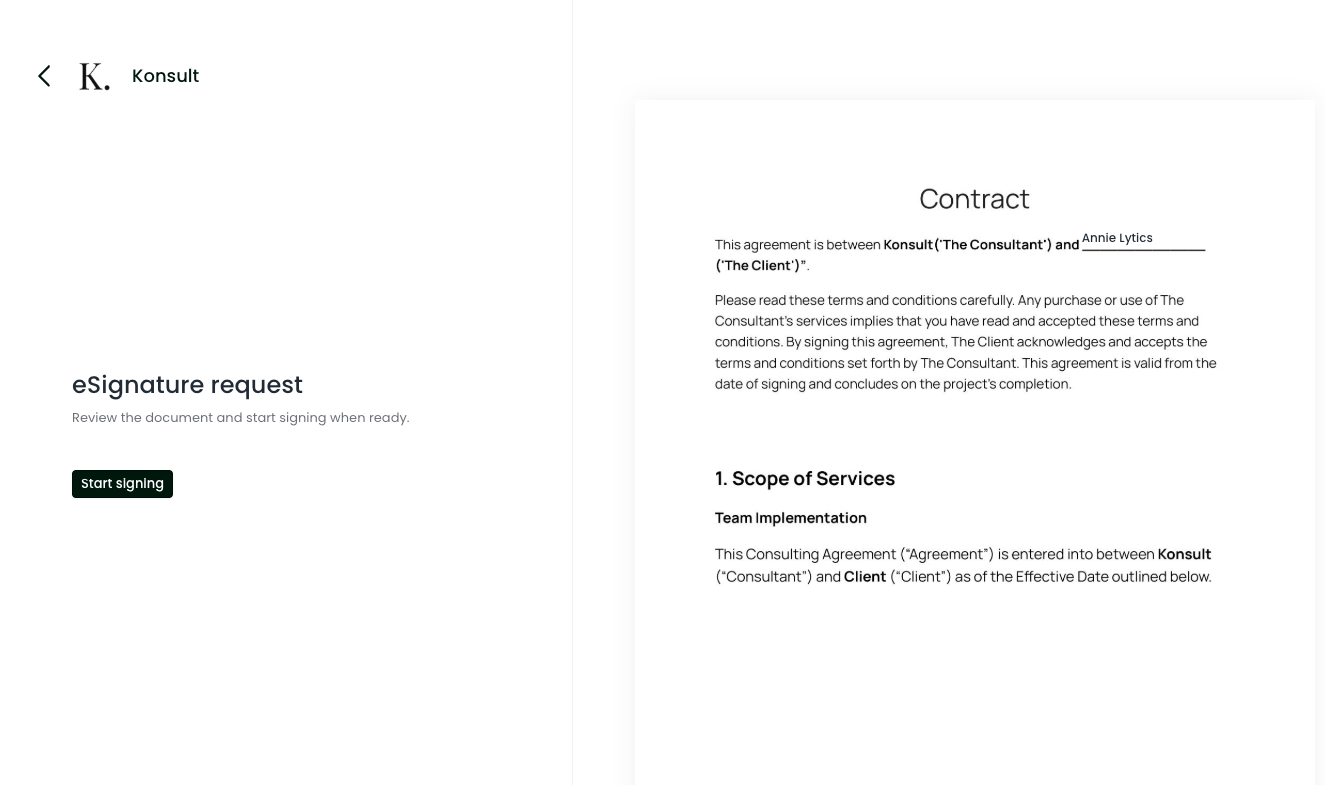
From the client side, signing stays simple, review the contract, click “Start signing”, and you’re done.
What I love: How this scales without any additional brain power from me. If you're onboarding one client a month, the manual version is manageable. If you're handling several, the cumulative time spent recreating contracts and chasing signatures becomes a real cost. Auto-populated contracts also reduce errors, which matters more than most people realise until they've sent one with the wrong name on it.
If you want to go further, contracts can be triggered automatically when a lead moves to a defined stage.
Onboarding
What Happens in the Gap Between Payment and Delivery?
The decision: This is the stage where confidence is either reinforced or quietly unsettled. After investing financially, clients enter a brief window of heightened sensitivity. They're asking themselves, often subconsciously, whether they made the right decision. What they encounter in this gap shapes the entire relationship.
How Assembly handles it: The onboarding sequence can be automated end to end. When a contract is signed, the client is automatically assigned a task to book their kickoff call. A welcome message appears in their portal. Their signed contract and paid invoice are visible. Clear next steps, no ambiguity.
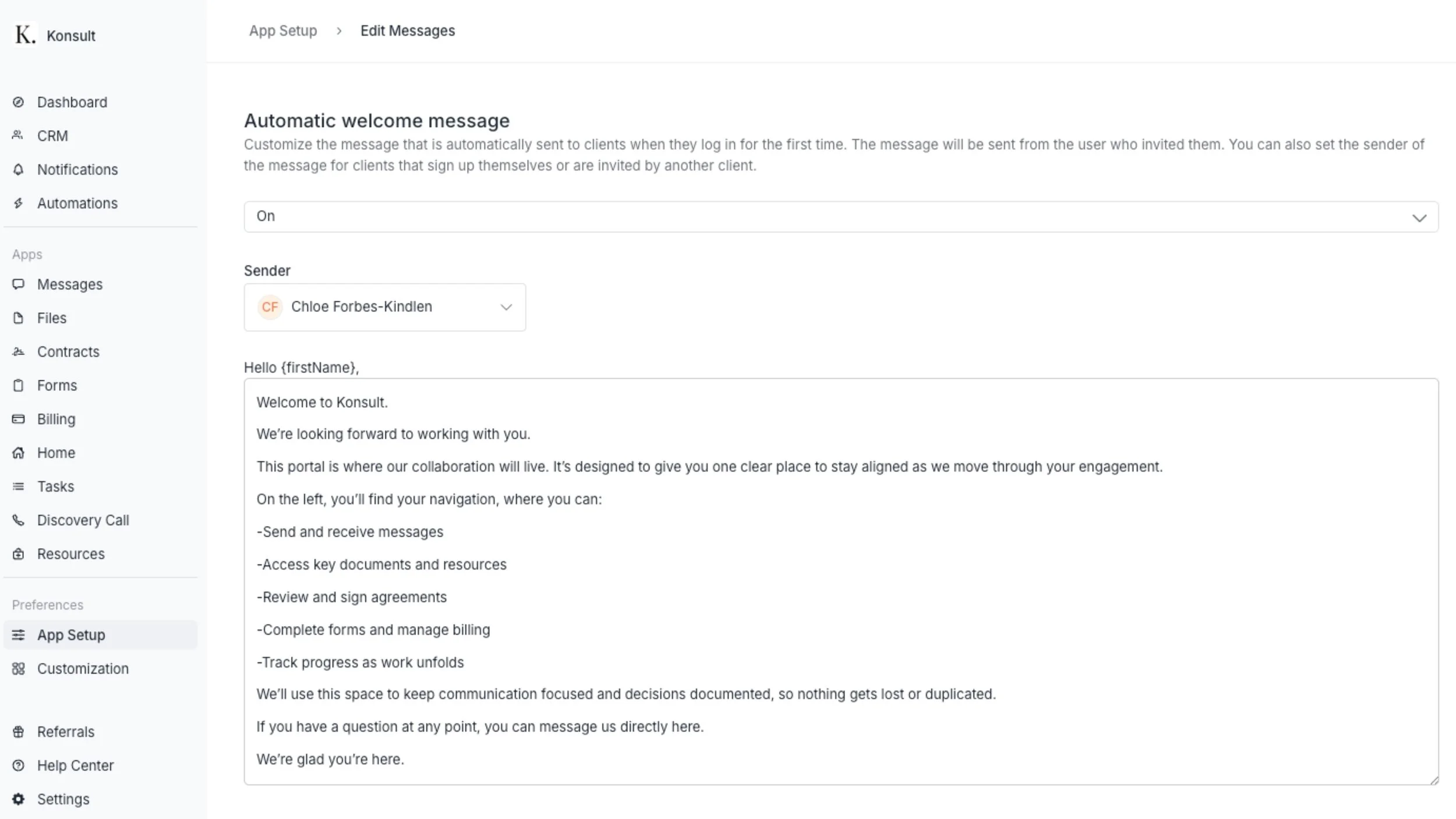
Automate the first hello, a welcome message can be set to appear the moment a client logs into their Assembly client portal.
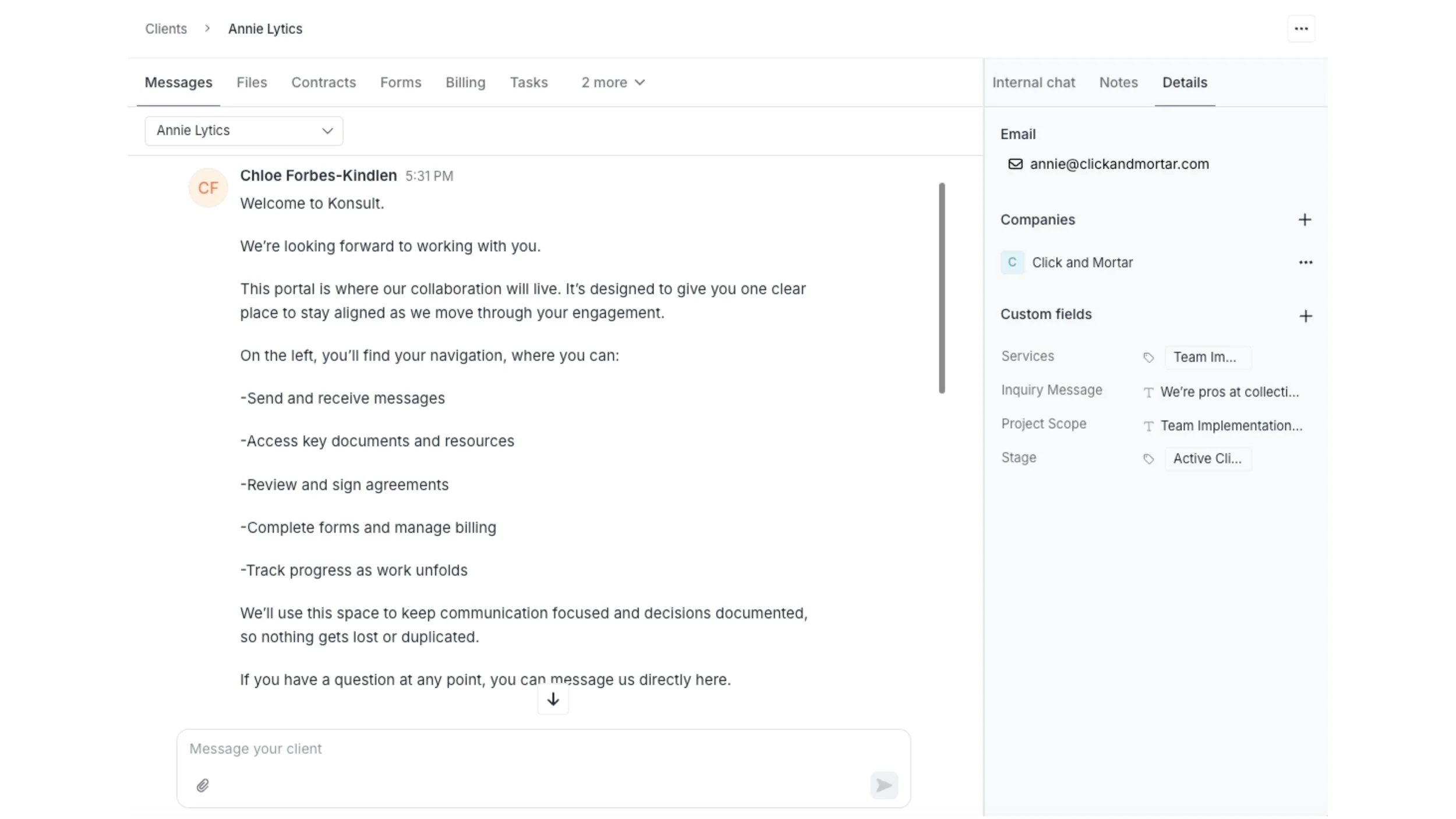
Client communication and client context sit side by side, so the onboarding thread stays anchored to the record.
Depending on your process, you can create an intake form with questions about their business, goals, and preferences. After the kickoff call, assign it to them. They submit, you get notified, their responses attach to their profile.
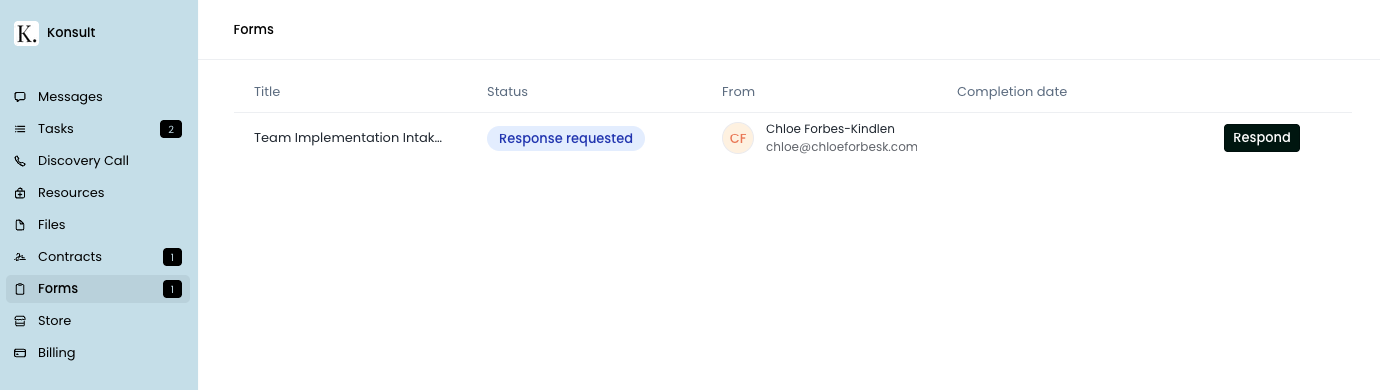
Assign an intake form inside their client portal, track status at a glance, and prompt the client to respond.
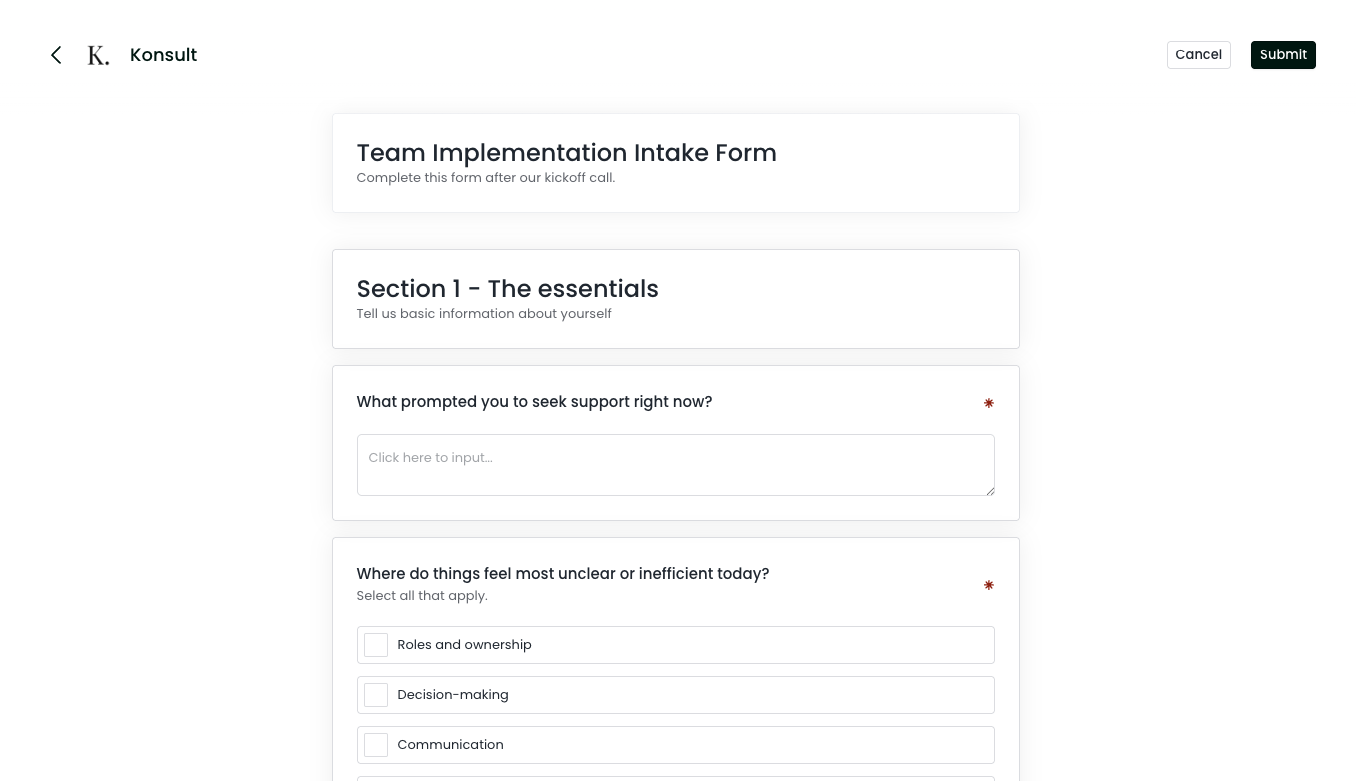
Clients complete the intake form directly in the client portal, and their answers attach back to their profile.
What I love: Beyond efficiency, a lot of the added value is in what the client experiences. No chasing payments. No awkward follow-up emails. No back and forth for basic information. For founders carrying too much in their heads, this kind of order isn't cosmetic. It's restorative. For the client, it’s easy to follow and predictable. It builds trust.
The question to ask yourself is whether your current onboarding creates the impression you want, or whether you've simply learned to live with its rough edges.
Delivery:
Where Does the Work Actually Live?
The decision: Delivery requires coordination across files, tasks, communication, and embedded tools. The question isn't whether you can manage this across separate platforms. You can. The question is whether the cognitive cost of doing so is worth it, for you and your clients.
How Assembly handles files:
I was fine with my previous approach because I thought it was the best option at the time. I didn’t fully appreciate that mental strain until I found Assembly. Once I did, it was that, ‘Oh, there's a better way’ moment.
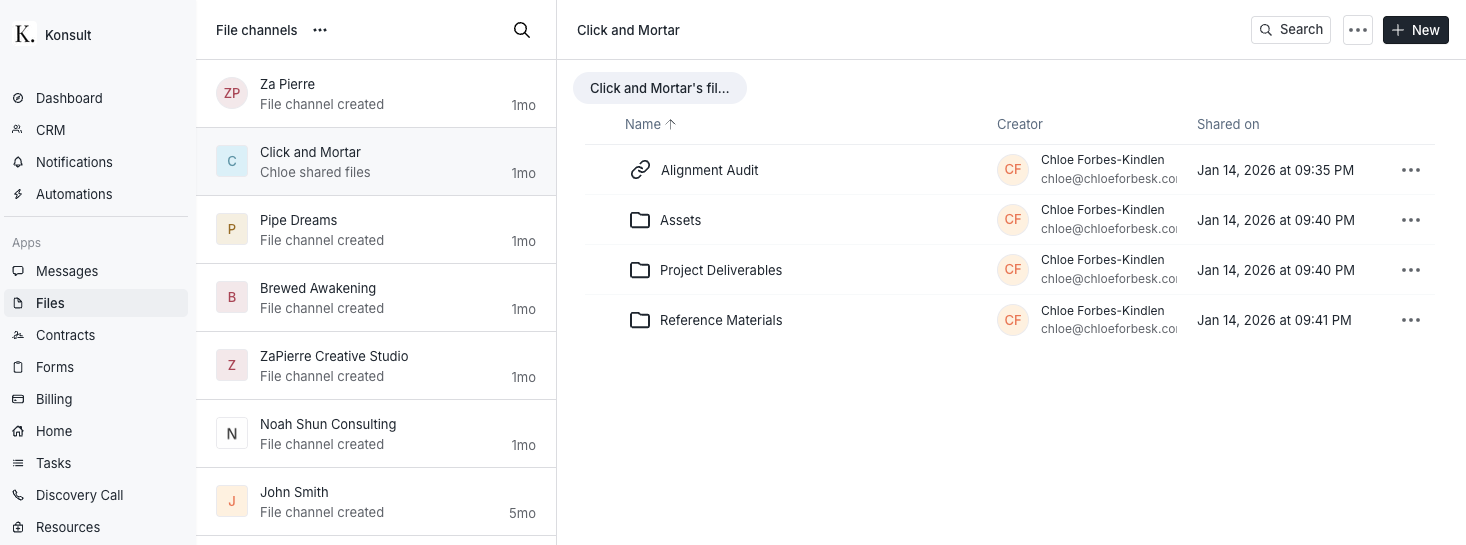
Files live inside the client space, organised by channel, so “Where did you put that?” stops being a weekly ritual.
This solves a specific problem: the familiar search through old email threads for an attachment someone definitely sent but nobody can find.
How Assembly handles tasks:
When action is required, whether that's feedback, approval, or information, tasks can be assigned with due dates and instructions. From your internal dashboard, outstanding items across all clients remain visible.
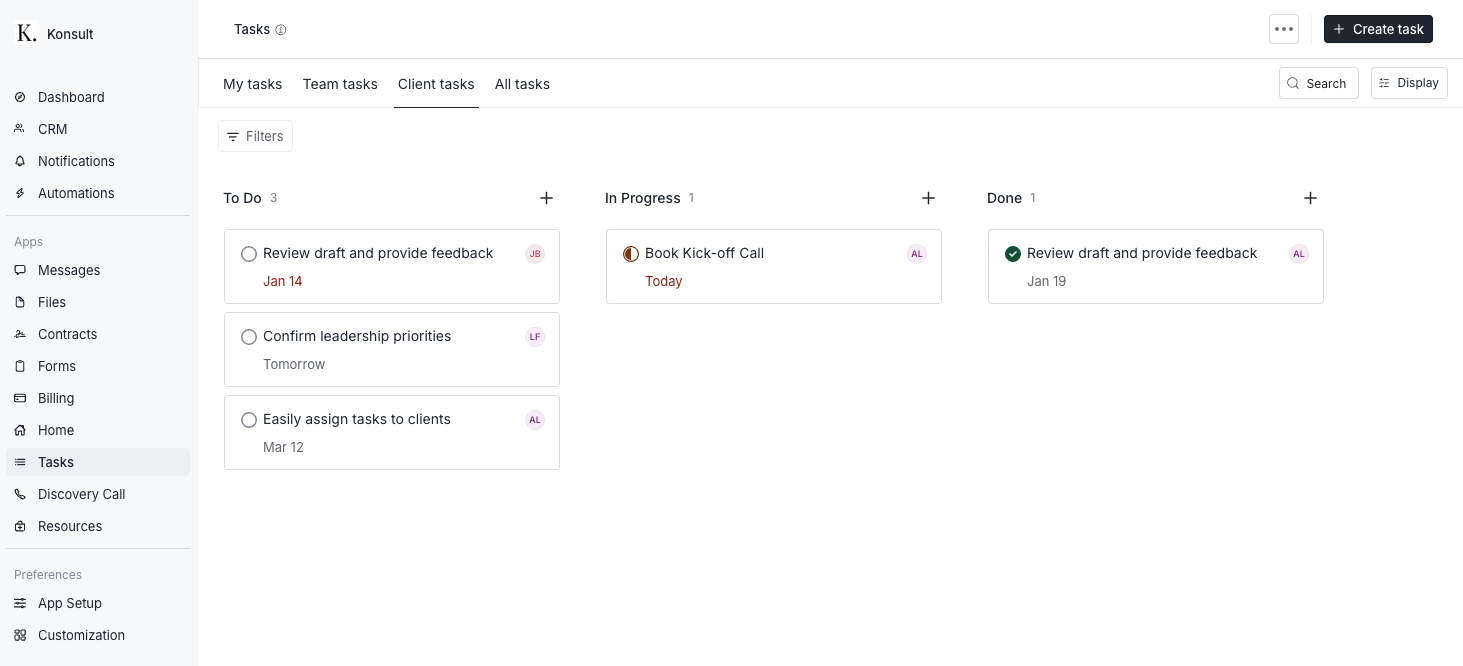
Assign tasks with due dates inside the client space, and track what’s pending across every client from one board.
For teams, accountability becomes shared rather than concentrated in one person's memory.
How Assembly handles communication:
Each client has a dedicated message channel. Clients can respond via email notifications or within the portal. The dialogue remains housed in one place either way. Bulk messaging is available when you need to reach multiple clients at once.
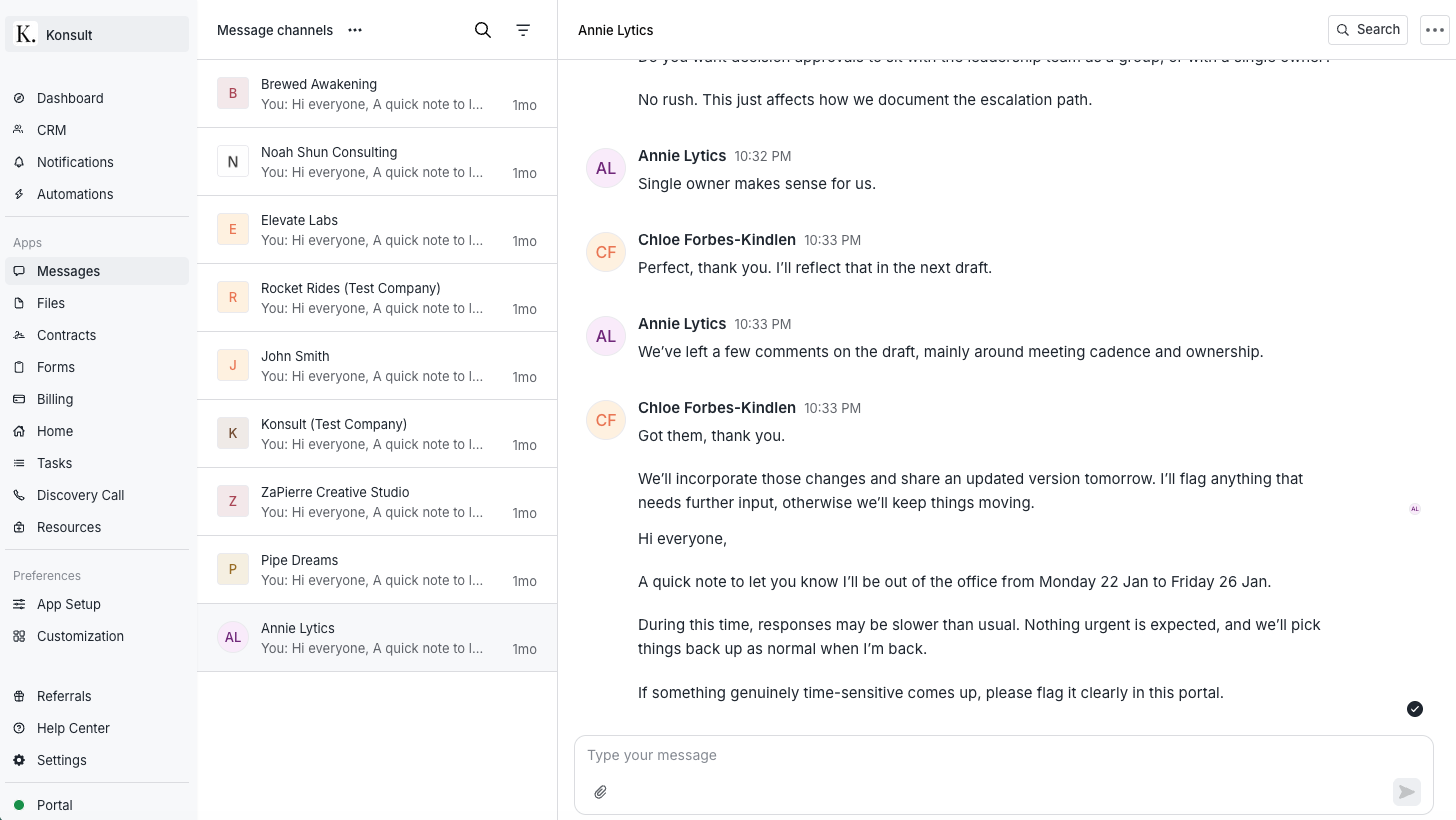
Each client gets a dedicated message channel, with replies flowing in from email or the portal, but always landing in the same place.
There's also an AI assistant available to summarise conversations or support message drafting, though it's best treated as an aid rather than a substitute for thoughtful communication.
How Assembly handles embedded tools and integrations:
Assembly's navigation tabs are called apps, and commonly used tools can be embedded directly into the portal: schedulers, whiteboards, documentation platforms. Clients move through one login instead of five.
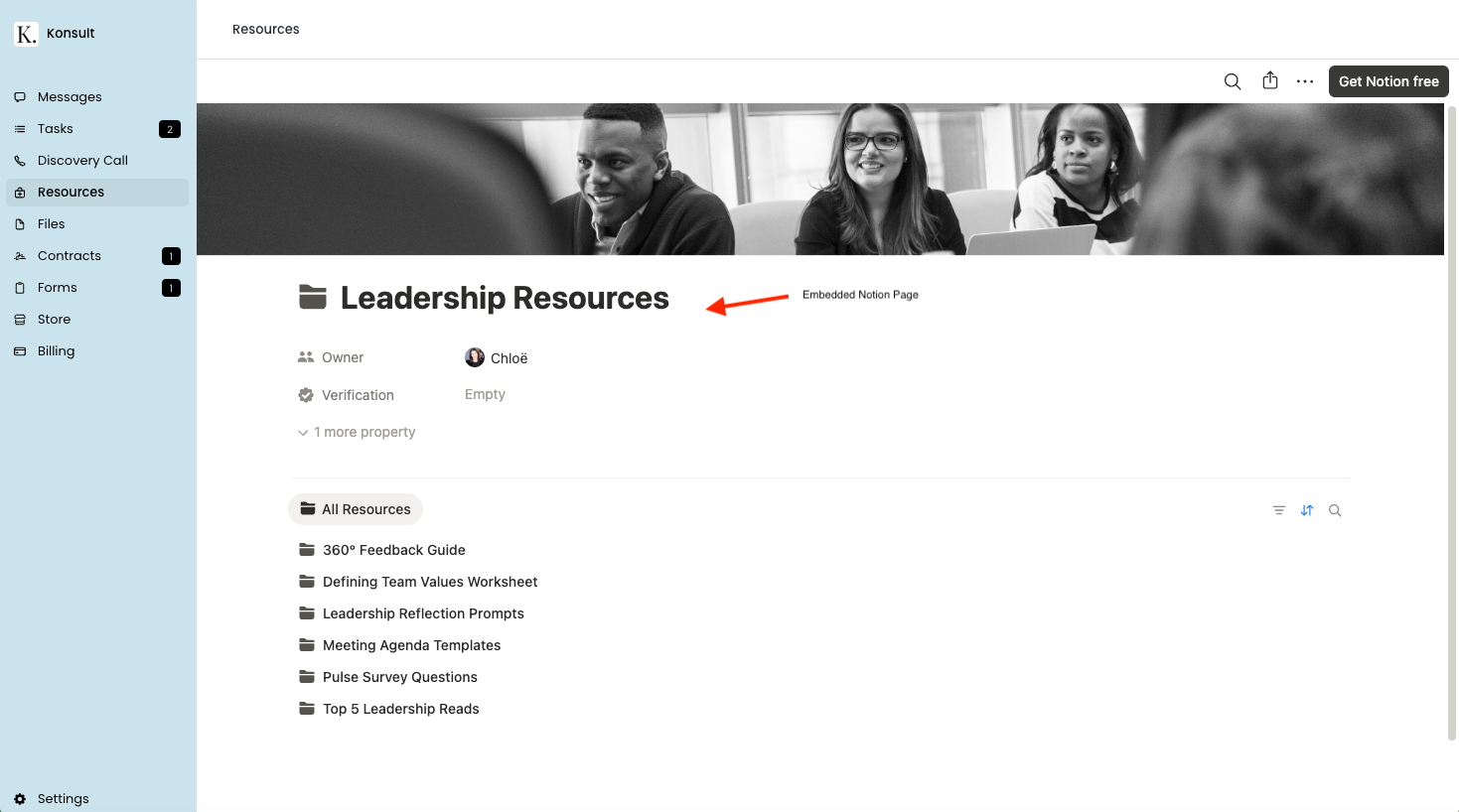
Embed the tools clients already need, like Notion pages, directly inside your client’s portal, so they stay in one login and one flow.
What I love: The delivery stage is where fragmentation costs the most, because it's ongoing. A clunky onboarding is a one-time friction point. A clunky delivery environment is friction that compounds over weeks and months. If you're managing multiple client relationships simultaneously, being able to manage this one dedicated space has helped me focus and show up more intentionally.
Retention:
Are You Making It Easy for Clients to Stay?
The decision: Retention is often treated as a by-product of good work. In reality, it's frequently shaped by environment. How easy is it for a client to understand what else you offer and to act on that without initiating a separate conversation?
How Assembly handles it: A store feature allows you to present services, add-ons, and subscriptions transparently inside the portal. Clients can browse, understand what's included, and purchase when the need arises.
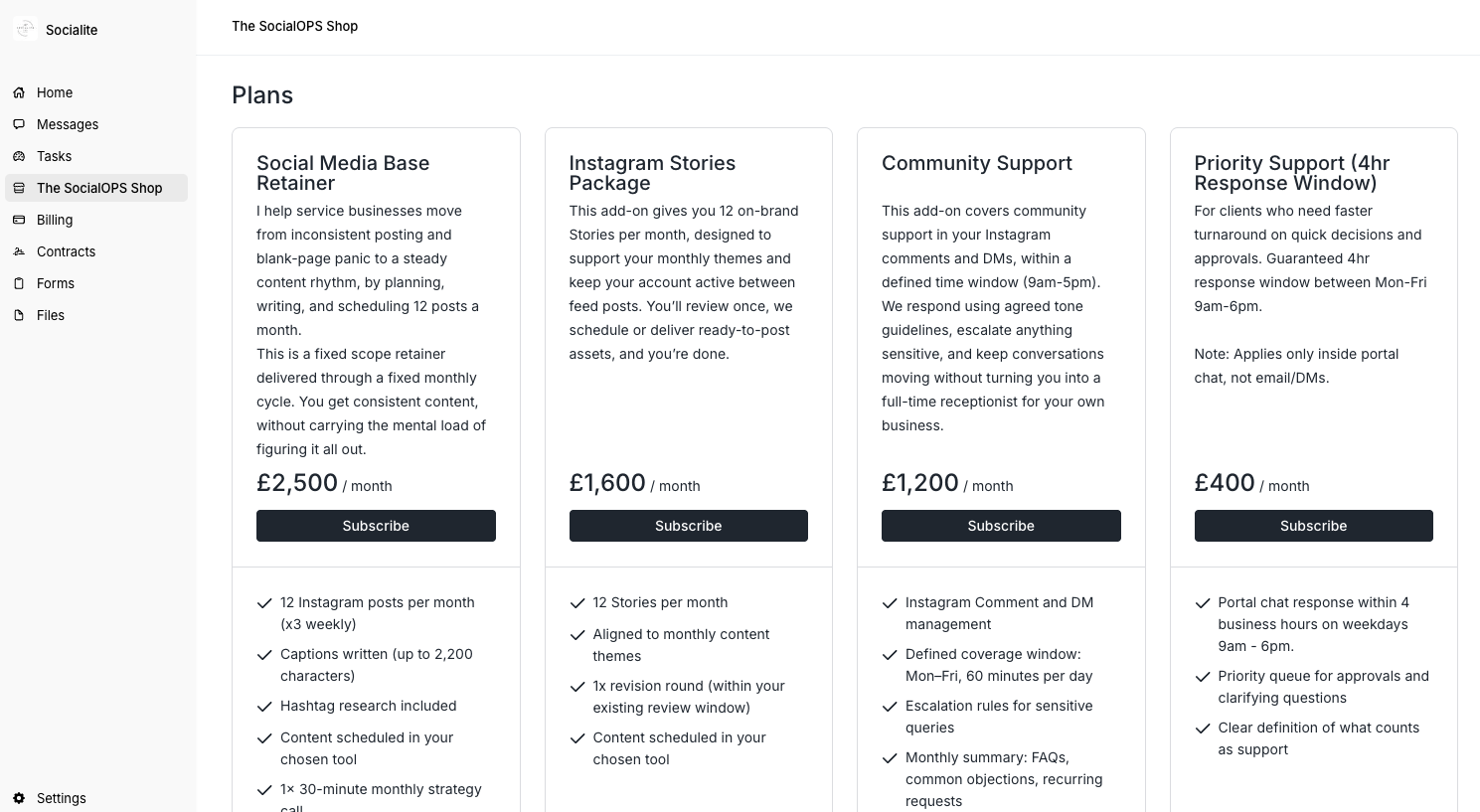
Create a store within your Assembly client portal store to present services, add-ons, and subscriptions clearly, so clients can self-serve when they’re ready.
Leads can be shown lower-commitment offers, creating a natural entry point. Payment links allow you to sell to people who aren't in your portal yet: they click, they pay, they're added automatically.
What I love: I like the idea of productising services and I think clients appreciate self-serve options if there is support in place to guide them. Being able to introduce add-ons and upsells signals continuity. Naturally, this only works if your services are clearly defined and priced. The platform makes selling easier; it doesn't make your offers clearer. That work still belongs to you. But once you are ready to launch, Assembly steps in and makes the process easy.
Where Assembly Client Portals Win
Across every stage of the client lifecycle, Assembly is solving the same underlying problem: the invisible labour of holding a tech stack together. The time returned through reduced admin. The energy preserved because fewer details live solely in your head. The ability to delegate when information is visible rather than tribal. The trust strengthened through consistency.
These compound. And they shape whether a business can scale with steadiness or stays dependent on one person holding everything in place.
Platforms like Assembly handle security updates, feature improvements, customer support, and onboarding resources. That's included in what you're investing in.
The biggest factor that made me switch was the ongoing cost of doing it manually. Not just the time, but the energy and capacity it consumed, because I had to account for maintaining systems and the context switching that came with it. It impacted my ability to show up and serve clients well. My old process was good, but Assembly allows me to deliver a branded, professional, and enjoyable client experience consistently, and with ease.
FAQS
-
Good question. I have a 15-minute Assembly client portal setup tutorial you can access here. It depends if you have your contracts and forms designed or if you are building from scratch but I would say the initial client portal set up takes 1-2 hours.
-
Yes. Assembly integrates with many common platforms. Many businesses start by moving client communication and file sharing into the portal. Then they add in their third party tools such as Calendly, Google Drive, Notion, Asana, Figma, Monday.com etc.
If you are a Notion user, I have a dedicated tutorial on how to integrate Notion and Assembly.
-
I would say it depends on your goals and current process for working with clients and what that is costing you in time, money and energy. Things can feel manageable with fewer clients but that can also mean we create an unconscious ceiling to growth. My recommendation here would be to sign up for the free trial and try it out. You’ll get a solid grasp on whether it’s the right fit for you pretty quickly.
-
One of the reasons I love Assembly. You can fully customise the brand to include your logo, colours, and domain. Clients see your brand, not Assembly’s.
-
A CRM tracks your relationship with leads and clients from your perspective. Assembly’s CRM functionality is very basic. What makes it valuable is that it gives clients their own client portal where they can access everything themselves. It's both: internal management for you, client-facing access for them.
-
Minimal. They receive a welcome email with their login. The interface is straightforward. Most people orient themselves in under five minutes.
-
Assembly allows you to export your data including contracts, files, and client records. Worth clarifying export options before committing to any platform.
Next Steps
If you would like to check it out, you can sign up for a free trial at assembly.com. Use CHLOE at checkout to access $100 off your plan
You can access a number of Assembly tutorials over on my youtube channel. This includes client portal comparisons (Notion vs. Assembly Client Portals), How to set up your Assembly client portal and Zapier Integrations with Assembly to help you automate along the way.
If you have any additional questions or thoughts, leave a comment below. I always love to hear from you.
Continue Reading
